May 27, 2026 • Roxanne Flair • 8 min reading time • Prices verified June 4, 2026
Upgrading Your DJ Setup: The $280–$800 Controller Tier Where Real Features Live
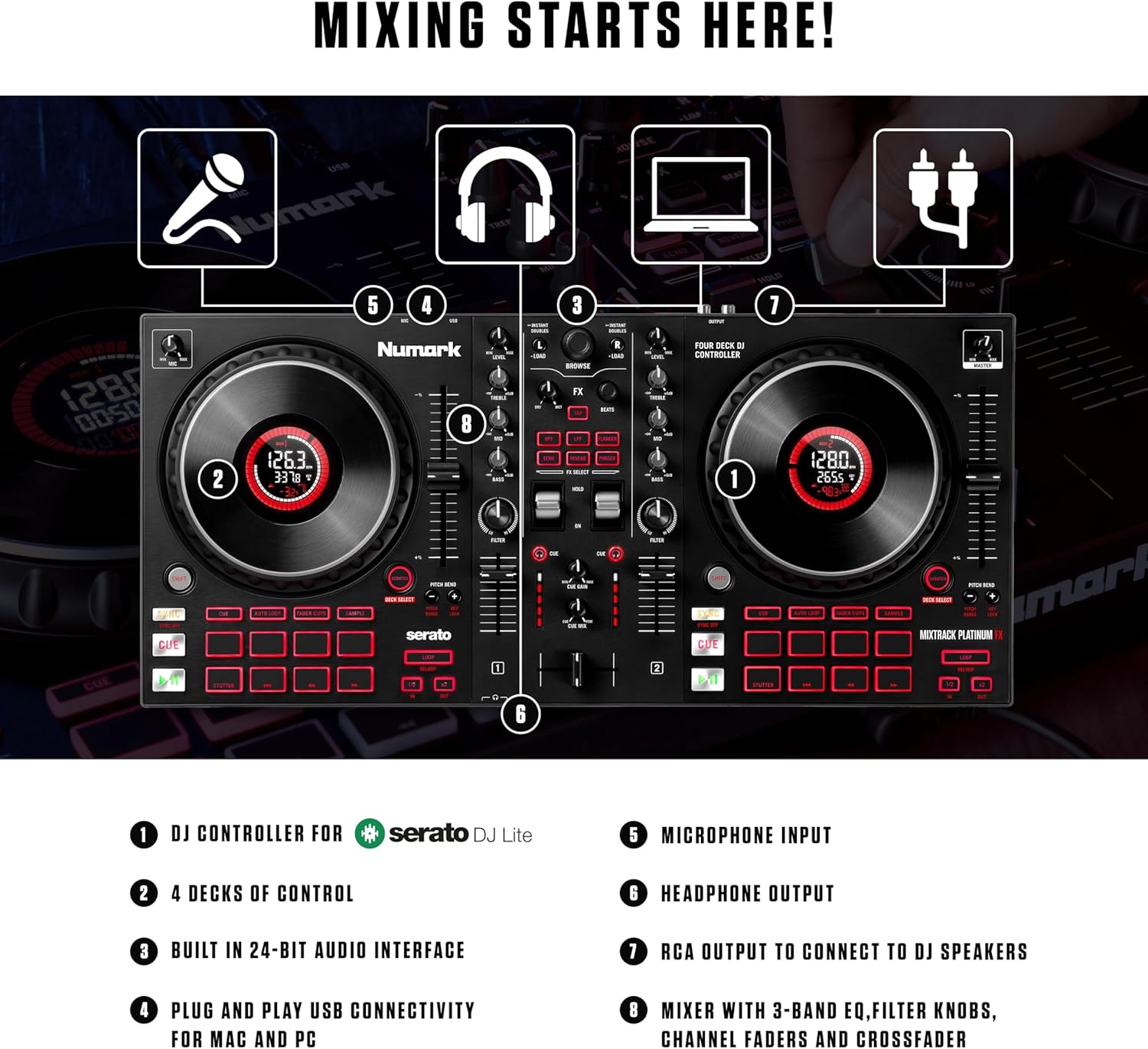
If you’ve been DJing for a year or so, you already know what a DJ controller is — it’s the hardware unit that sits on your table and lets you mix music using physical knobs, jog wheels (the spinning platters that simulate vinyl records), and faders, all connected to software running on your laptop. Entry-level controllers in the $100–$250 range are great for learning. But at some point you notice the wheels feel plasticky, the mixer section is missing features you keep wishing you had, and you’re working around limitations rather than through them. That’s the signal. The $280–$800 bracket is where the industry puts its real engineering effort — full-size jog wheels, multi-channel mixing, standalone performance modes, and build quality that can survive a mobile gig bag without feeling like a liability. This guide breaks down exactly what you get at each price step, names the specific models worth your money, and ends with clear decision rules so you don’t spend three weeks on forums second-guessing yourself.
What Changes Between $280 and $800 (And What Doesn’t)
Before getting into specific models, it helps to know what dollars actually buy in this range, because the spec sheet differences aren’t always obvious.
Jog wheel diameter and tension. Entry controllers typically run 5–6 inch platters with minimal resistance. The intermediate tier moves to full-size 6–8 inch wheels with adjustable tension on most models, which matters for scratch technique and for DJs who do a lot of cue-point juggling. DJMag’s Best DJ Controllers guide consistently flags platter feel as the top complaint in sub-$250 gear and notes the quality jump as soon as you clear $300.
Channel count and routing. Most entry controllers are two-channel (you can mix two tracks at once). The intermediate tier introduces credible four-channel options — meaning you can have four tracks loaded and blend between them, which opens up live remixing, layering, and smoother transitions in longer sets.
Standalone or laptop-dependent operation. Some controllers in this range, particularly Denon DJ’s lineup, start offering built-in screens and the ability to run without a laptop at all. That’s a significant upgrade for mobile DJs who want fewer failure points at a gig.
Build material. Metal faceplates, reinforced knobs, and higher-quality crossfaders (the horizontal slider used to cut between channels) appear reliably above $350. Below that, you’re often looking at ABS plastic throughout.
What doesn’t change much in this range: audio interface quality. Most controllers between $280 and $800 include a built-in audio interface rated at 24-bit/44.1kHz. You’re not getting audiophile conversion here — but it’s sufficient for club-level output and recording mixes.
The Tiers, Named and Priced
Here’s the landscape as of mid-2026, with street prices reflecting current retail. These aren’t every option — they’re the ones that keep surfacing in aggregated owner reviews as models people actually recommend.
By the numbers:
| Model | Street Price | Channels | Jog Size | Standalone? |
|---|---|---|---|---|
| Pioneer DJ DDJ-400 | ~$290 | 2 | 6 in | No |
| Pioneer DJ DDJ-FLX6-GT | ~$600 | 4 | 6 in | No |
| Denon DJ MC4000 | ~$380 | 2 | 6 in | No |
| Denon DJ SC LIVE 2 | ~$799 | 2 | 8.5 in | Yes |
The $280–$350 Entry to Intermediate: Pioneer DJ DDJ-400
The DDJ-400 is the most recommended controller in this bracket, and the reason is straightforward: it’s the official learning controller for rekordbox (Pioneer’s DJ software, used by the majority of professional DJs worldwide), which means the layout maps directly to club-standard CDJ-2000NXS2 players. If your long-term goal is playing in venues that already have Pioneer gear installed — which describes most mid-size clubs — learning on this controller means your muscle memory carries over.
Sound On Sound’s coverage of Pioneer’s DDJ line notes that the DDJ-400 delivers credible build quality for its price, with a metal top panel, though the jog wheels remain on the smaller side. Owners across long-run forum reviews frequently cite the beat effects section and the visual feedback of rekordbox as the real value-adds over cheaper alternatives. The limitation is honest: this is a two-channel controller, and there’s no screen or standalone capability. If you already know you want four channels, skip this tier.
Who it’s for: DJs who want a direct upgrade path to club Pioneer gear, are comfortable staying laptop-dependent, and can prioritize budget over features.
The $350–$450 Alternative: Denon DJ MC4000
Denon has spent the past several years aggressively challenging Pioneer’s market dominance, and the MC4000 is their strongest argument in the sub-$450 range. The build quality narrative here is notably different — owners consistently report that the metal chassis and full-size mixer knobs feel closer to $600 gear, and Mixmag’s buyer’s guide calls out the MC4000’s standalone mixer section (you can connect external sources without the laptop active) as a real differentiator for mobile DJs who want a hybrid setup.
The tradeoff is software ecosystem. Denon ships with Serato DJ Lite (upgradeable to Serato DJ Pro for ~$9.99/month or a one-time license), whereas Pioneer is rekordbox-native. Neither is wrong — Serato is widely used and respected — but if your DJ community or potential gig venues run rekordbox files, the transition adds friction. That’s worth naming explicitly before you buy.
Who it’s for: Mobile DJs who want excellent build quality per dollar and don’t need to be in the Pioneer ecosystem.
The $550–$650 Sweet Spot: Pioneer DJ DDJ-FLX6-GT
This is the controller that appears most often when working mobile DJs describe their actual workhorse gear. The FLX6-GT is a four-channel controller, which changes what’s possible in a live set. Sound On Sound’s DDJ-FLX6-GT review describes the four-channel layout as the most significant upgrade for DJs transitioning from bedroom to paid events, because it opens up the kind of multi-source layering that distinguishes a professional set from a playlist.
Owners consistently flag two things: the beat FX section is more capable than the price suggests, and the FLX compatibility with both rekordbox and Serato Pro is a genuine convenience that removes the ecosystem lock-in problem entirely. The jog wheels are 6-inch — not the largest in this price range — but owners report the feel and tension are noticeably improved over the DDJ-400.
The price-to-feature argument here is strong. Going from $290 (DDJ-400) to $600 (FLX6-GT) roughly doubles your money but more than doubles your capability: four channels, dual-software compatibility, better effects, and a layout that will feel familiar if you move to club gear. For a DJ doing $300–$600 mobile gigs, the gear amortizes quickly.
Who it’s for: Our clearest recommendation in this guide. If you’re doing paid gigs or plan to within 12 months, this is the controller to buy.
The $750–$800 Ceiling: Denon DJ SC LIVE 2
The SC LIVE 2 sits at the top edge of this bracket and represents a different product philosophy entirely. It’s a standalone controller — meaning it has a built-in screen, can read music from a USB drive or SD card, and does not require a laptop to run. Resident Advisor’s overview of Denon’s SC Live series frames these units as the brand’s strongest push into the professional tier that Pioneer’s NXS2 players have historically owned.
The 8.5-inch motorized jog wheels are the largest in this price tier and the ones owners most consistently call out as a reason to pay the premium. If platter feel and scratch performance matter to your style, this is a meaningful difference. The standalone operation also changes your gig setup: no laptop means one fewer device to break, one fewer cable to manage, one fewer software crash to panic about at 11 PM on a Saturday.
The honest tradeoffs: the SC LIVE 2 is two-channel at this price, whereas the FLX6-GT gives you four channels for $200 less. And standalone operation only matters if you’re willing to organize your music library in Denon’s Engine DJ software rather than Serato or rekordbox. That’s not a bad thing — Engine DJ has matured significantly — but it’s a migration cost you should factor in.
Who it’s for: Mobile DJs who prioritize reliability and setup simplicity over channel count, and who are comfortable building a Denon-native workflow.
The Decision Frame
Here’s the honest version of what this guide recommends, based on the patterns across DJMag’s coverage, Sound On Sound’s technical reviews, Mixmag’s buyer guides, and the owner review record:
If you’re doing paid gigs or plan to within 12 months, buy the DDJ-FLX6-GT (~$600). Four channels, dual-software compatibility, and Pioneer’s familiar layout make this the strongest return on investment in the bracket. The math works: at $300–$500 per mobile event, you recover the cost in 1–2 gigs, and you’re not limited by the gear when the booking gets more serious.
If you’re still in the building-skill phase and want the clearest upgrade path to club gear, buy the DDJ-400 (~$290). Bank the remaining $300 toward a good pair of headphones or your first real monitor speaker.
If build quality and gig reliability are your highest priority and you’re willing to build a Denon-native library, the SC LIVE 2 (~$799) is worth the ceiling price. The standalone operation and motorized jog wheels are real differentiators, not marketing language — owners who make the switch consistently report they don’t go back.
If you’re somewhere in between — budget closer to $400, want better build than the DDJ-400, not ready to go full Denon ecosystem — the MC4000 (~$380) is the honest choice. It won’t be the last controller you ever buy, but it’s the right one for where you are right now, and that’s not a consolation prize.
The $280–$800 bracket rewards specificity. Know your channel count requirement, know your software ecosystem preference, and know whether standalone operation matters to your workflow. Answer those three questions and the decision mostly makes itself.